
Accessing Free CEUs Through Active Steps’s Capella Partnership
Follow the steps below to access your free CEUs through our partnership with Capella University and Behavior University.
Step 1: Visit the Partnership Website
Step 3: Complete the Registration Form
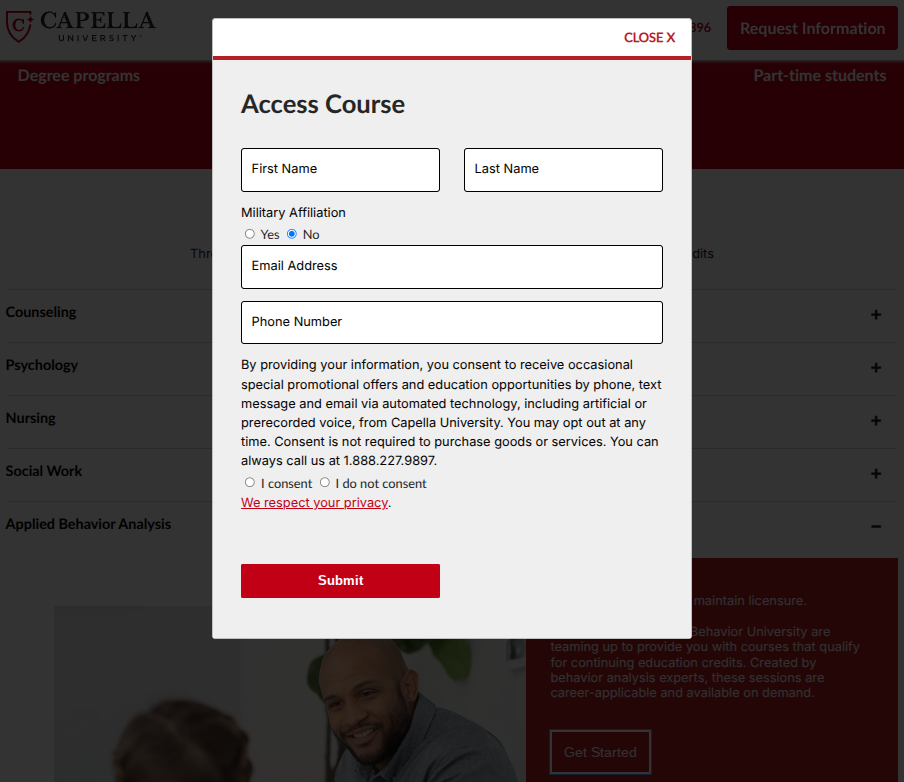
Enter your Active Steps information and click "Submit."
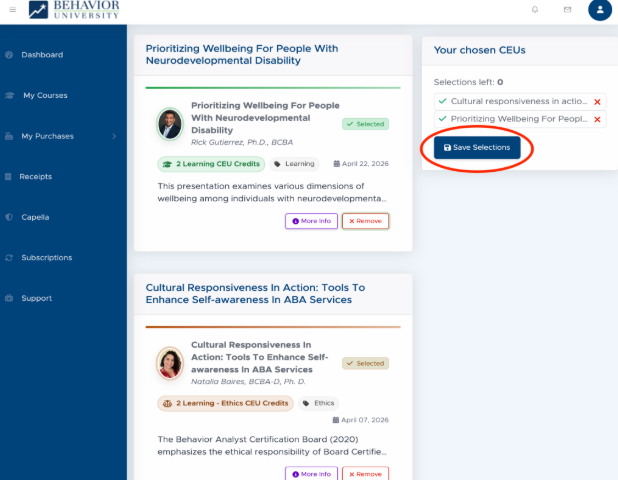
Step 5: Choose Your CEUs
Browse the available Capella-sponsored CEUs within Behavior University.
Select up to 2 webinars (4 CEUs total) each quarter.
Click “Select” for the courses you want, and click “Save Selections” when finished.
Step 2: Select Your Profession
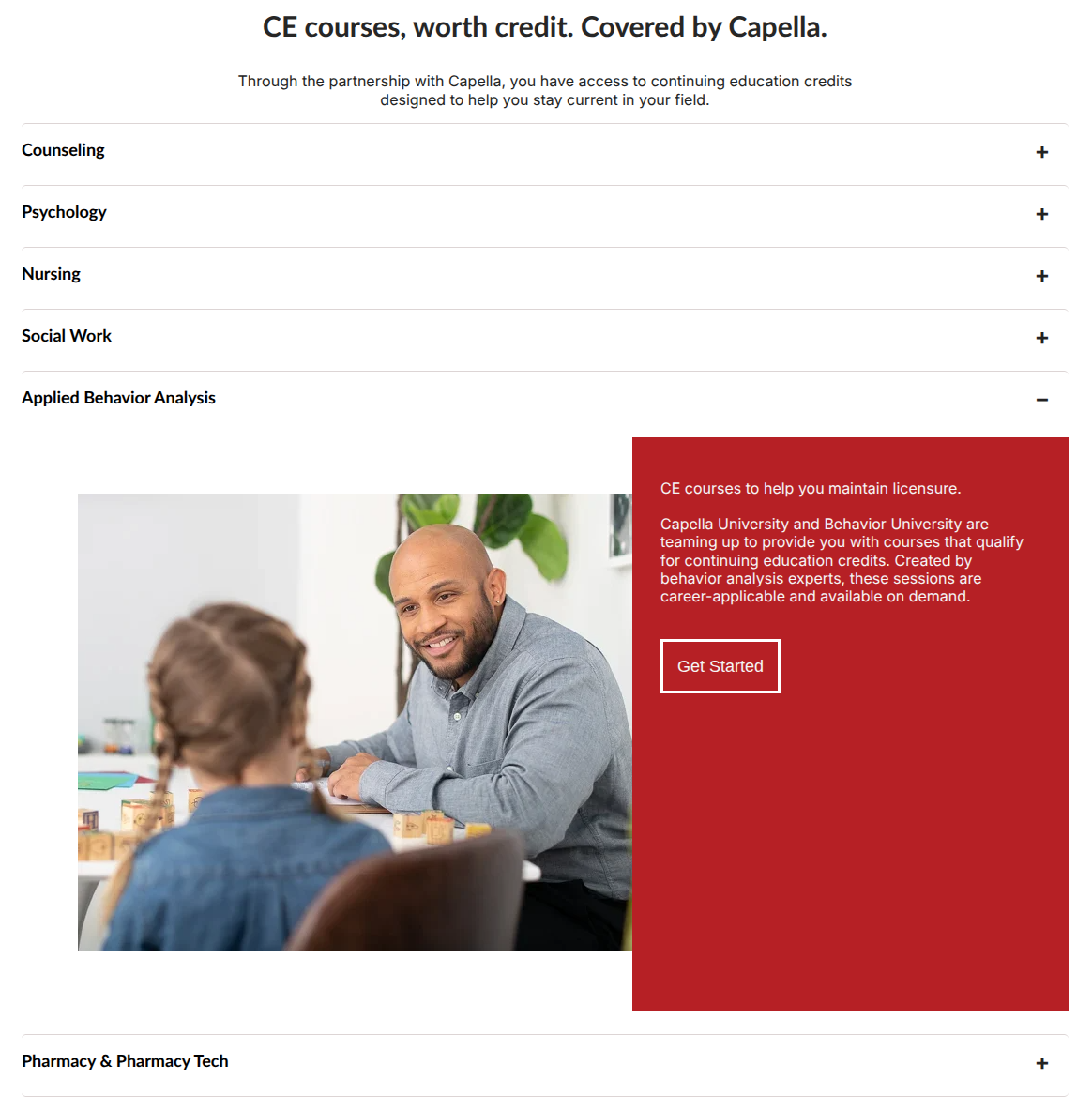
Scroll down to “CE courses, worth credit. Covered by Capella.”
Select “Applied Behavior Analysis” (or your desired field) then click “Get Started.”
Quick Tips
Free through the Active Steps–Capella partnership.
Up to 4 CEUs (2 webinars) are available each quarter.
Courses are completed through Behavior University.
Check back every quarter for new CEU opportunities.
Step 4: Access Behavior University
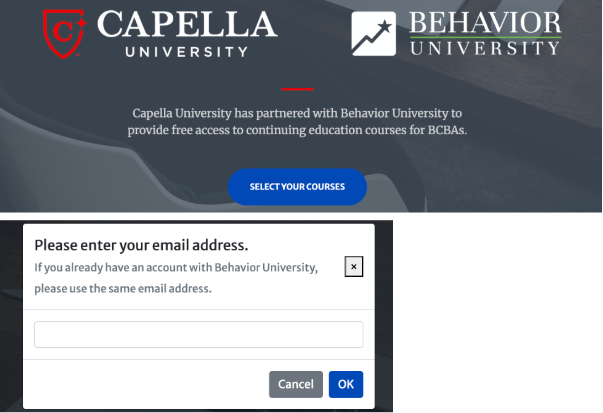
Click "Select Your Courses." Then, enter the email address associated with your Behavior University account.
If you do not already have a Behavior University account, create one first, then use the email address you registered with.
Click "OK."
Step 6: Complete Your Courses
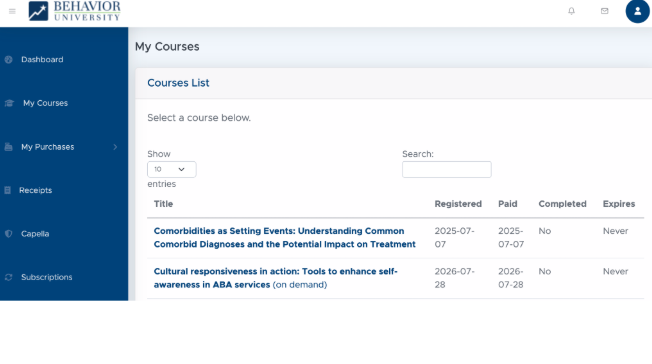
Your selected webinars will appear under "My Courses" in Behavior University, where you can complete them at your convenience. Remember to return each quarter to claim up to 4 additional free CEUs!