Time Off Request Policy
Policy Number: 212110
Time Off Requests: (Updated)
______________________
Time Off Sick Days
All employees are entitled to accrued sick pay. If an employee has sick time available, he/she will be given the time off once they have notified the company.
To request the usage of sick pay staff must follow the company’s employee cancellation policy
(Policy # 212109).
Voluntary and Long-Term Leave Definitions
Active Steps LLC provides options for employees who need time off for personal reasons, vacation, illness, or compelling family circumstances. Leave is classified into three types: Short-Term Voluntary Leave, Extended Voluntary Leave, and Long-Term Leave of Absence.
Short-Term Voluntary Leave
Part-Time Employees: Up to 5 days of leave.
Full-Time Employees: Up to 2 weeks of leave.
Leave is unpaid unless you have accrued vacation or PTO available.
Employees must submit a Time Off Request (TOR) at least two (2) weeks in advance.
Exceptions for emergencies may be considered at management’s discretion.
Extended Voluntary Leave
Available when the requested time off exceeds the limits of short-term leave.
Employees may request more than the short-term limit for personal reasons or vacation. Leave is unpaid unless paid vacation or PTO is available.
Employees must submit a Time Off Request (TOR) at least two (2) weeks in advance.
The company will make reasonable efforts to hold your position and may assign temporary staff to cover your responsibilities.
Caseloads cannot be guaranteed during leave. If your cases remain available and it serves the individuals we support, you may resume them; otherwise, new staff may be assigned permanently.
If your original position cannot be held, you may be offered a similar position, if available. Placement cannot be guaranteed if leave creates a hardship for operations.
Long-Term Leave of Absence
A long-term leave exceeds 30 days in length.
For non-emergency reasons, employees must normally submit a request at least 30 calendar days in advance.
For unforeseen or emergency reasons, employees should give their manager as much notice as possible if the 30-day requirement cannot be met.
Long-term leave may be granted for compelling personal reasons, such as illness, injury, maternity leave, or immediate family (child, spouse, or parent) illness.
Long-term leave will run concurrently with any applicable other leave entitlements, such as Pregnancy or Disability Leave.
During long-term leave, caseloads cannot be guaranteed. If your cases remain available and it best serves the individuals we support, you may resume them; otherwise, new staff may be assigned permanently.
If your original position cannot be held, you may be offered a similar position, if available. Placement cannot be guaranteed if leave creates a hardship for operations.
For long-term leave due to injury or severe illness, a doctor’s note is required to validate the leave and/or authorize the employee’s return to work.
Disclaimer: Active Steps LLC reserves the right to approve or deny any request for short-term, extended, or long-term leave if, in the company’s sole discretion, the leave would interfere with the smooth operation of the business.
Clinical Supervisors / Behavior Analysts
Rippling Time-Off Request Workflow
Employees will request time off using Rippling on a web browser or the Rippling mobile app.
Request time off using a web browser
To schedule time off using a web browser, follow these steps:
From the main sidebar, select Time.
From the Time sidebar, select My Time.
Select the Time Off tab.
Click + Schedule time off.
Time off policy. Use the dropdown to select the time off policy you want to schedule time off against.
Vacation - Paid
Before submitting your request, review your available vacation hours balance to ensure sufficient hours are available.
Sick LEAVE- Paid
Before submitting your request, review your available sick pay balance.
Sick leave may only be requested for the total number of session hours scheduled on your Measure PM calendar for that day.
Sick pay cannot exceed the number of hours you were scheduled to work.
⚠️ Important: Requests that exceed the hours scheduled on your Measure PM calendar for that day will be denied.
Sick TIME - Unpaid
This leave is for employees who cannot use sick pay—either because they are within their 90-day probationary period or because they have exhausted all available sick pay hours.
Jury Duty - Unpaid
May use vacation if available
Bereavement Leave - Paid / Unpaid
Refer to HR Leave Quick-Reference Guide for Staff below
Unpaid Time-Off (UTO)
Part-Time Employees: Up to 5 days of leave.
Full-Time Employees: Up to 2 weeks of leave.
Medical Leave of Absence - Unpaid
Employees may qualify for state disability or other state-provided benefits.
Maternity / Paternity Leave - Unpaid
Employees may qualify for state disability or other state-provided benefits.
Personal Leave of Absence (Unpaid)
Exceeds 2 weeks
⚠️ DO NOT USE: “Unpaid Sick Leave”
This category is no longer in use as of 03-09-2026. It has been replaced by “Sick Time.”
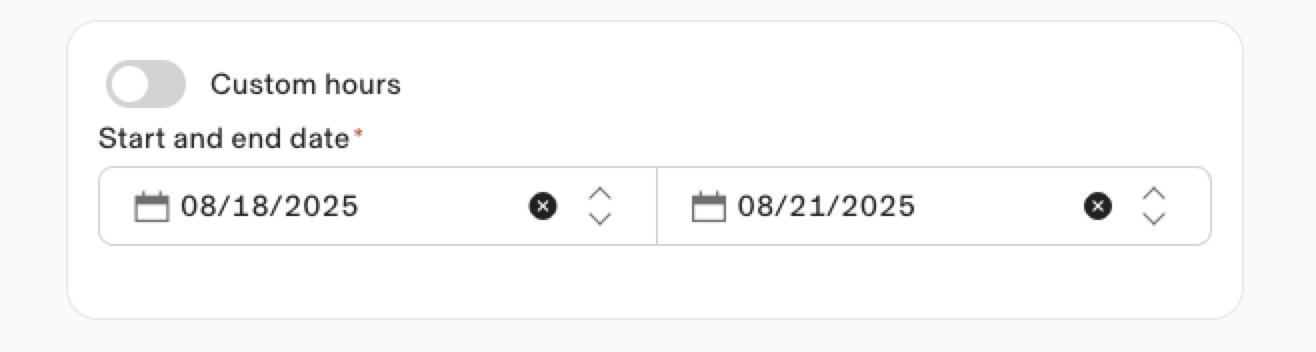
Start and end dates. Enter the start and end dates of your leave.
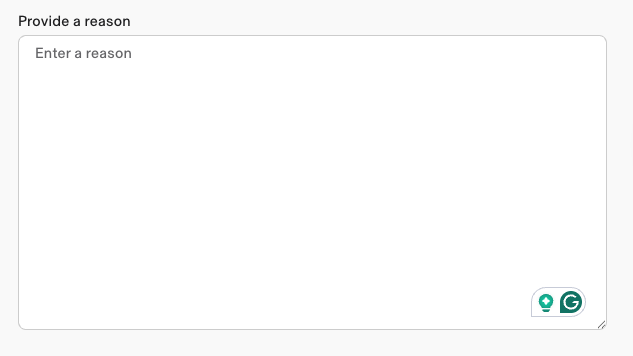
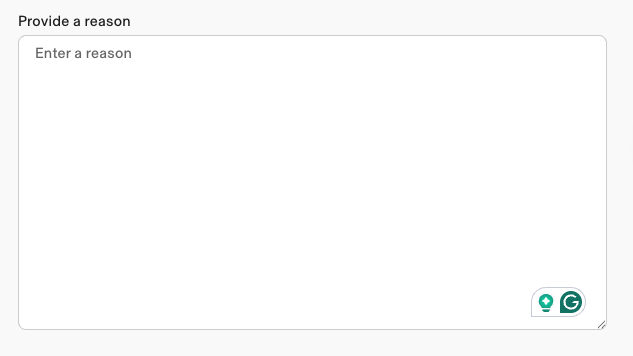
Time off reason. Copy and paste the filled-out Makeup Plan template into the ‘Provide a reason’ box.
Template: Supervisor/BCBA TIME OFF REQUEST PROTOCOL
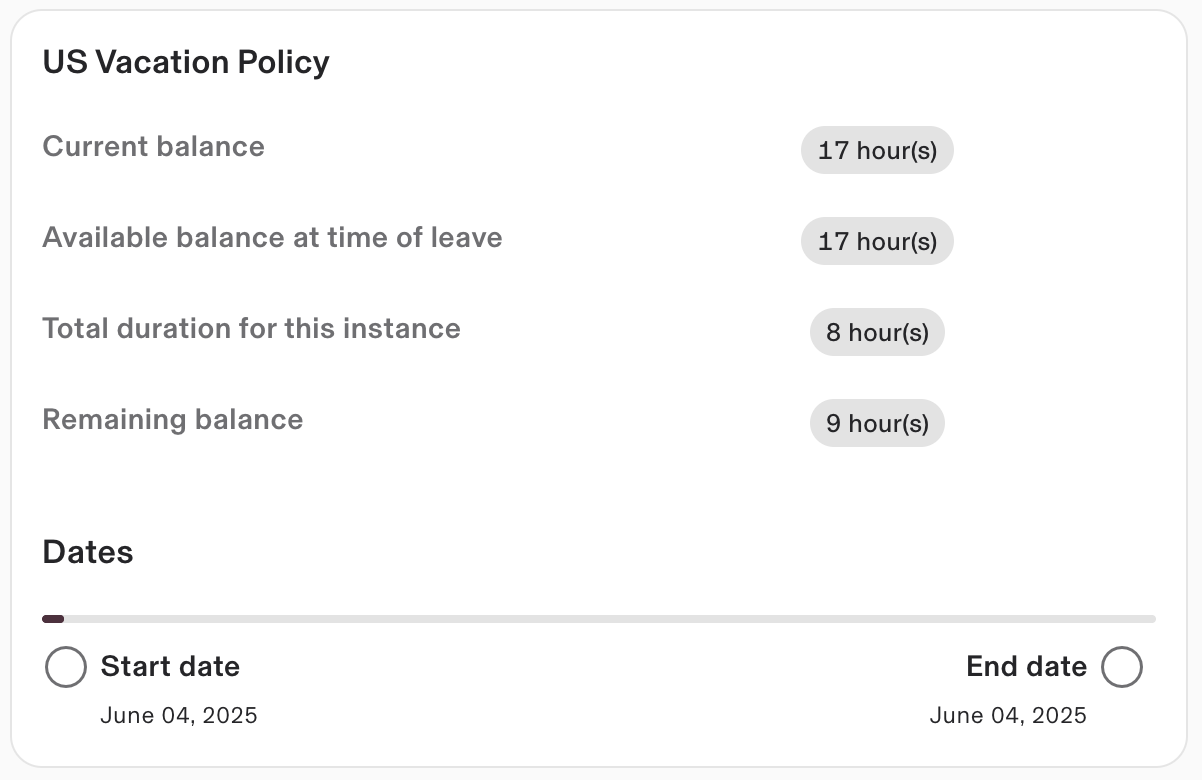
Review your current balance, projected available balance at time of leave, total duration for this request, and the projected remaining balance if this request is approved (if applicable).
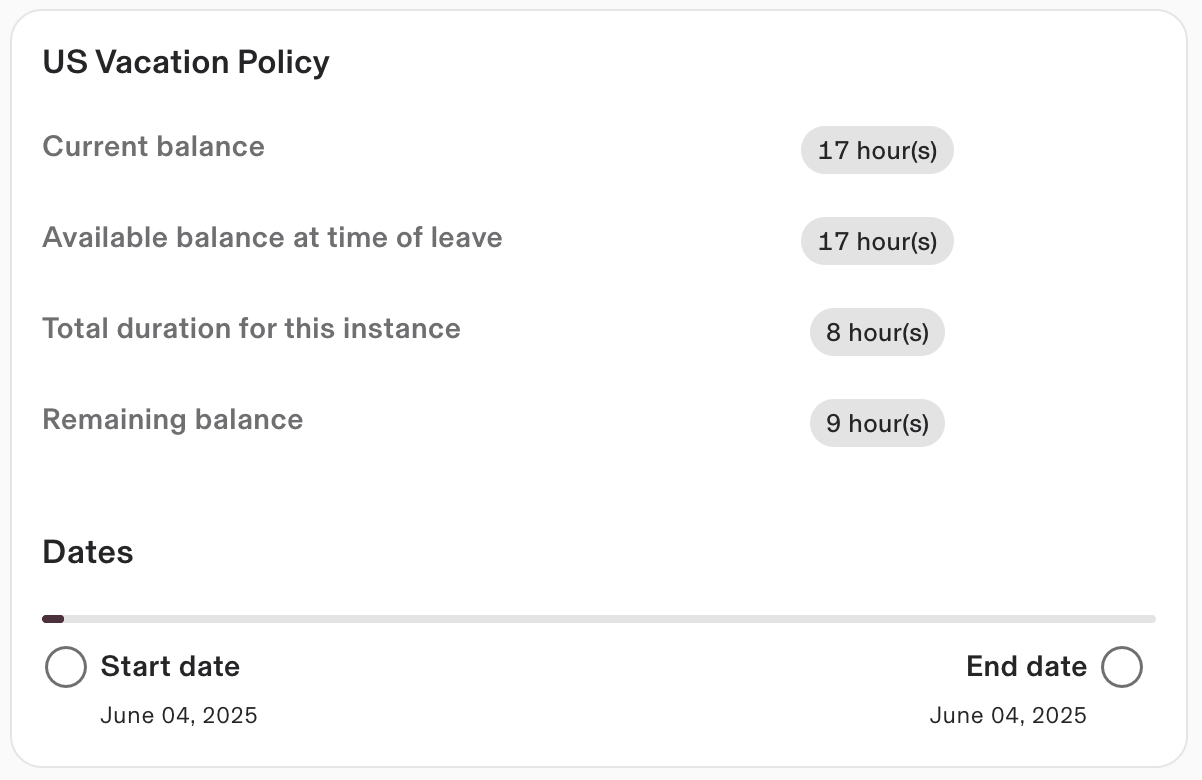
Click Continue.
Click Submit leave request.
Once your request is submitted, your region’s Clinical Director will be notified. They will review your request and either approve or deny it within 72 hours.
You will receive:
An email from Rippling confirming whether your request has been approved or denied.
A follow-up email from your region’s Clinical Director with any additional information, next steps, or makeup plan details.
Request time off via the Rippling mobile app
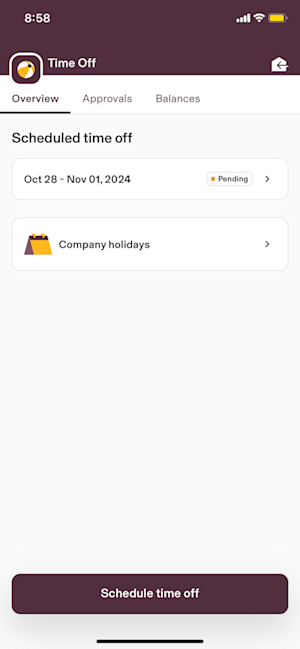
To schedule time off using the Rippling mobile app, follow these steps:
On the mobile dashboard, under HR, select Time Off.
Click the Overview tab.
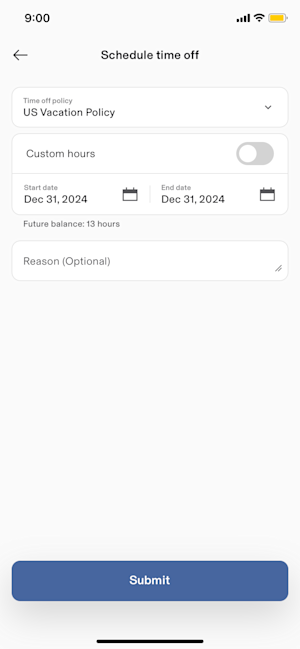
Click Schedule time off.
Complete the time off request details.
Click + Schedule time off.
Time off policy. Use the dropdown to select the time off policy you want to schedule time off against.
Vacation - Paid
Before submitting your request, review your available vacation hours balance to ensure sufficient hours are available.
Sick LEAVE - Paid
Before submitting your request, review your available sick pay balance.
Sick leave may only be requested for the total number of session hours scheduled on your Measure PM calendar for that day.
Sick pay cannot exceed the number of hours you were scheduled to work.
⚠️ Important: Requests that exceed the hours scheduled on your Measure PM calendar for that day will be denied.
Sick TIME - Unpaid
This leave is for employees who cannot use sick pay—either because they are within their 90-day probationary period or because they have exhausted all available sick pay hours.
Jury Duty - Unpaid
May use vacation if available
Bereavement Leave - Paid / Unpaid
Refer to HR Leave Quick-Reference Guide for Staff below
Unpaid Time-Off (UTO)
Part-Time Employees: Up to 5 days of leave.
Full-Time Employees: Up to 2 weeks of leave.
Medical Leave of Absence - Unpaid
Employees may qualify for state disability or other state-provided benefits.
Maternity / Paternity Leave - Unpaid
Employees may qualify for state disability or other state-provided benefits.
Personal Leave of Absence (Unpaid)
Exceeds 2 weeks
⚠️ DO NOT USE: “Unpaid Sick Leave”
This category is no longer in use as of 03-09-2026. It has been replaced by “Sick Time.”
Start and end dates. Enter the start and end dates of your leave.
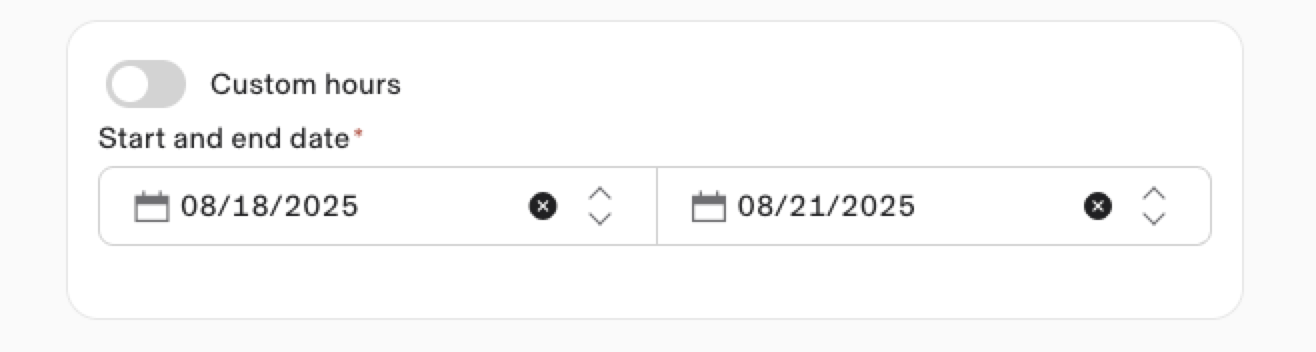
Time off reason. Copy and paste the filled-out Makeup Plan template into the ‘Provide a reason’ box.
Template: Supervisor/BCBA TIME OFF REQUEST PROTOCOL
Click Submit.
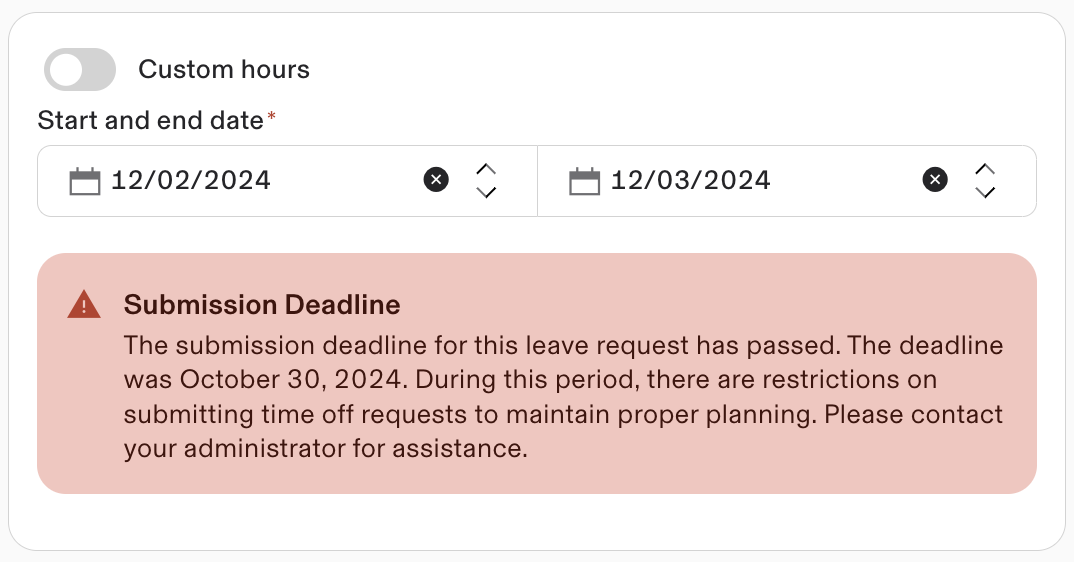
Submission deadline
This alert indicates that your time off request cannot be submitted because it is either past the 2-week submission deadline or the selected dates have already reached skeleton crew capacity, and cannot be approved.
Behavior Technicians and Administrative Staff
PROTOCOL
When planning your time off, it is mandatory to commit to a coverage / make up plan for all daily, weekly, and monthly responsibilities you will be missing.
When planning your time off and attempting to arrange your coverage plan, you need to first submit a time off request online that gives your immediate supervisor the necessary information needed to approve and assist in coordinating a coverage plan with your team.
If request is 1-3 days, can be made up by staff requesting time of
If request is longer than 3 days, there needs to be a plan in place for the hours and responsibilities to be covered by another team member ( ex: assigned BCBA (if supervisor), another BCBA, or another supervisor )
When completing a time off request, If a coverage plan is needed, you will work with your clinical team and other team members to find coverage for all job responsibilities during the time you are away. If a make up plan is appropriate, you will work with your clients and Service Coordinator to schedule all missed hours and responsibilities prior to time off taking place. This is all to ensure we do not cause any client service disruption.
Once a time off request has been received, the Service Coordinator will be evaluating it based on the above steps. If appropriate coverage/makeup plan is listed then the TOR will be approved. Once approved, the coverage or make up plan will be input into measure and an approval email will be sent.
Reasons for a denied request :
Missing information
insufficient make up availability
Excessive Requests
Excessive No shows
Excessive cancellations
The qualification of being flagged for excessive cancellations is determined as more than two call-outs in a month for two months within a quarter
Active Steps reserves the right to remove employees off caseloads where cancellations become excessive and or reconsider employment relationships due to the significant disruption excessive cancellations has on the success of our client’s services and results.
Excessive Availability changes
If you have not yet passed your 90 day probationary period
Failure to submit TOR in a timely manner
employees are required to provide advance notice for all time off requests. The standard notice period is two weeks unless there are extenuating circumstances.
Lack of team coverage
Behavior Technicians and Administrative Staff
Rippling Time-Off Request Workflow
Employees will request time off using Rippling on a web browser or the Rippling mobile app.
Request time off using a web browser
To schedule time off using a web browser, follow these steps:
From the Time sidebar, select My Time.
Select the Time Off tab.
Click + Schedule time off.
Time off policy. Use the dropdown to select the time off policy you want to schedule time off against.
Vacation - Paid
Before submitting your request, review your available vacation hours balance to ensure sufficient hours are available.
Sick LEAVE- Paid
Before submitting your request, review your available sick pay balance.
Sick leave may only be requested for the total number of session hours scheduled on your Measure PM calendar for that day.
Sick pay cannot exceed the number of hours you were scheduled to work.
⚠️ Important: Requests that exceed the hours scheduled on your Measure PM calendar for that day will be denied.
Sick TIME- Unpaid
This leave is for employees who cannot use sick pay—either because they are within their 90-day probationary period or because they have exhausted all available sick pay hours.
Jury Duty - Unpaid
May use vacation if available
Bereavement Leave - Paid / Unpaid
Refer to HR Leave Quick-Reference Guide for Staff below
Unpaid Time-Off (UTO)
Part-Time Employees: Up to 5 days of leave.
Full-Time Employees: Up to 2 weeks of leave.
Medical Leave of Absence - Unpaid
Employees may qualify for state disability or other state-provided benefits.
Maternity / Paternity Leave - Unpaid
Employees may qualify for state disability or other state-provided benefits.
Personal Leave of Absence (Unpaid)
Exceeds 2 weeks.
⚠️ DO NOT USE: “Unpaid Sick Leave”
This category is no longer in use as of 03-09-2026. It has been replaced by“Sick Time.”
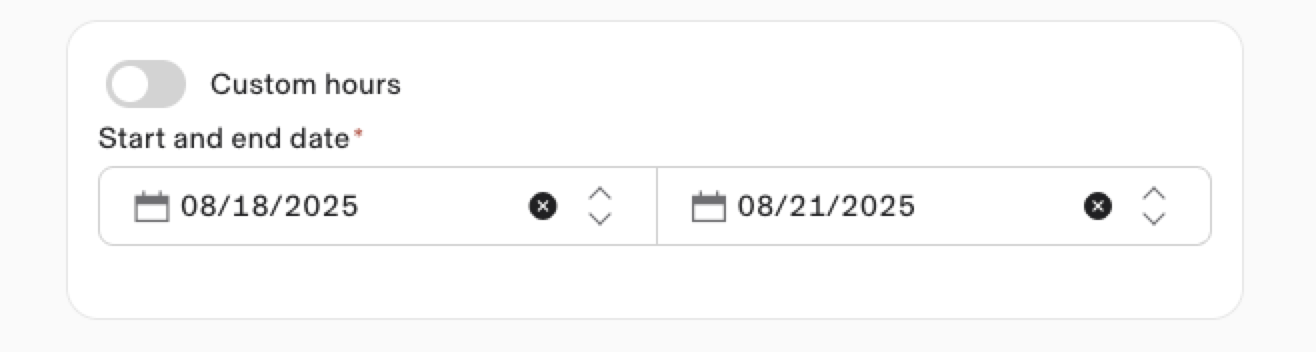
Start and end dates. Enter the start and end dates of your leave.
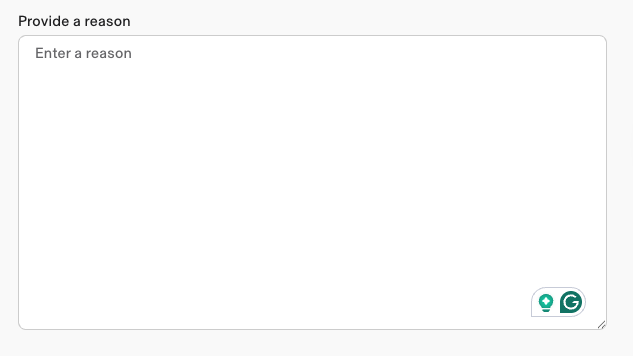
Time off reason. Provide a detailed explanation of the reason for your request. BEHAVIOR TECHNICIAN TIME OFF REQUEST PROTOCOL
Review your current balance, projected available balance at time of leave, total duration for this request, and the projected remaining balance if this request is approved (if applicable).
Click Continue.
Click Submit leave request.
Once your request is submitted, your region’s Service Coordinator will be notified. They will review your request and either approve or deny it within 72 hours.
You will receive:
An email from Rippling confirming whether your request has been approved or denied.
Request time off via the Rippling mobile app
To schedule time off using the Rippling mobile app, follow these steps:
On the mobile dashboard, under HR, select Time Off.
Click the Overview tab.
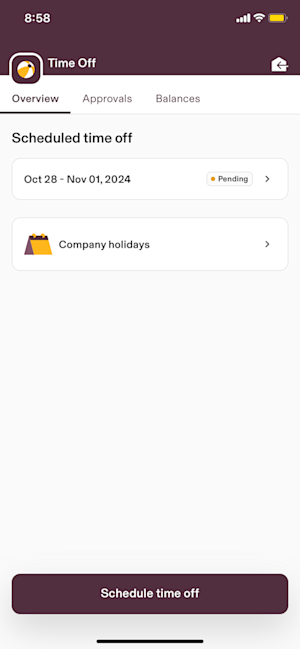
Click Schedule time off.
Complete the time off request details.
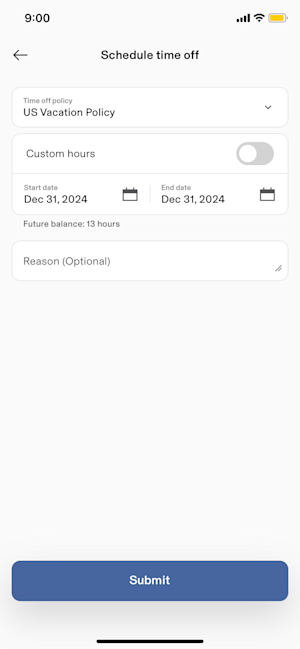
Click + Schedule time off.
Time off policy. Use the dropdown to select the time off policy you want to schedule time off against.
Vacation - Paid
Before submitting your request, review your available vacation hours balance to ensure sufficient hours are available.
Sick LEAVE- Paid
Before submitting your request, review your available sick pay balance.
Sick leave may only be requested for the total number of session hours scheduled on your Measure PM calendar for that day.
Sick pay cannot exceed the number of hours you were scheduled to work.
⚠️ Important: Requests that exceed the hours scheduled on your Measure PM calendar for that day will be denied.
Sick TIME - Unpaid
This leave is for employees who cannot use sick pay—either because they are within their 90-day probationary period or because they have exhausted all available sick pay hours.
Jury Duty - Unpaid
May use vacation if available
Bereavement Leave - Paid / Unpaid
Refer to HR Leave Quick-Reference Guide for Staff below
Unpaid Time-Off (UTO)
Part-Time Employees: Up to 5 days of leave.
Full-Time Employees: Up to 2 weeks of leave.
Medical Leave of Absence - Unpaid
Employees may qualify for state disability or other state-provided benefits.
Maternity / Paternity Leave - Unpaid
Employees may qualify for state disability or other state-provided benefits.
Personal Leave of Absence (Unpaid)
Exceeds 2 weeks
⚠️ DO NOT USE: “Unpaid Sick Leave”
This category is no longer in use as of 03-09-2026. It has been replaced by“Sick Time.”
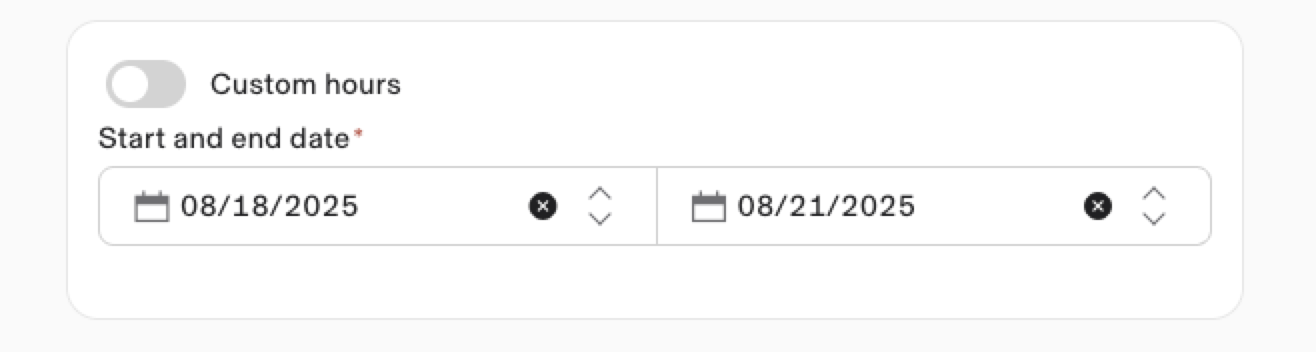
Start and end dates. Enter the start and end dates of your leave.
Time off reason.Time off reason. Provide a detailed explanation of the reason for your request.
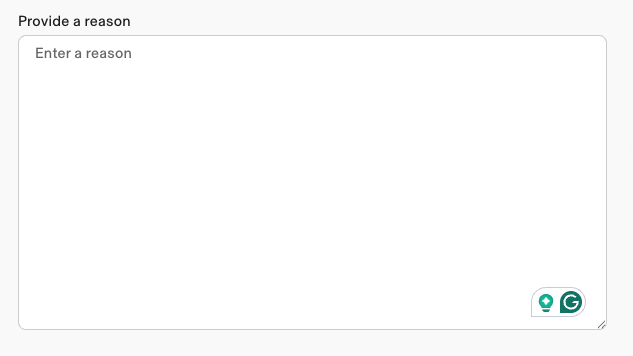
Click Submit.
Submission deadline
This alert indicates that your time off request cannot be submitted because it is either past the 2-week submission deadline or the selected dates have already reached skeleton crew capacity, and cannot be approved.